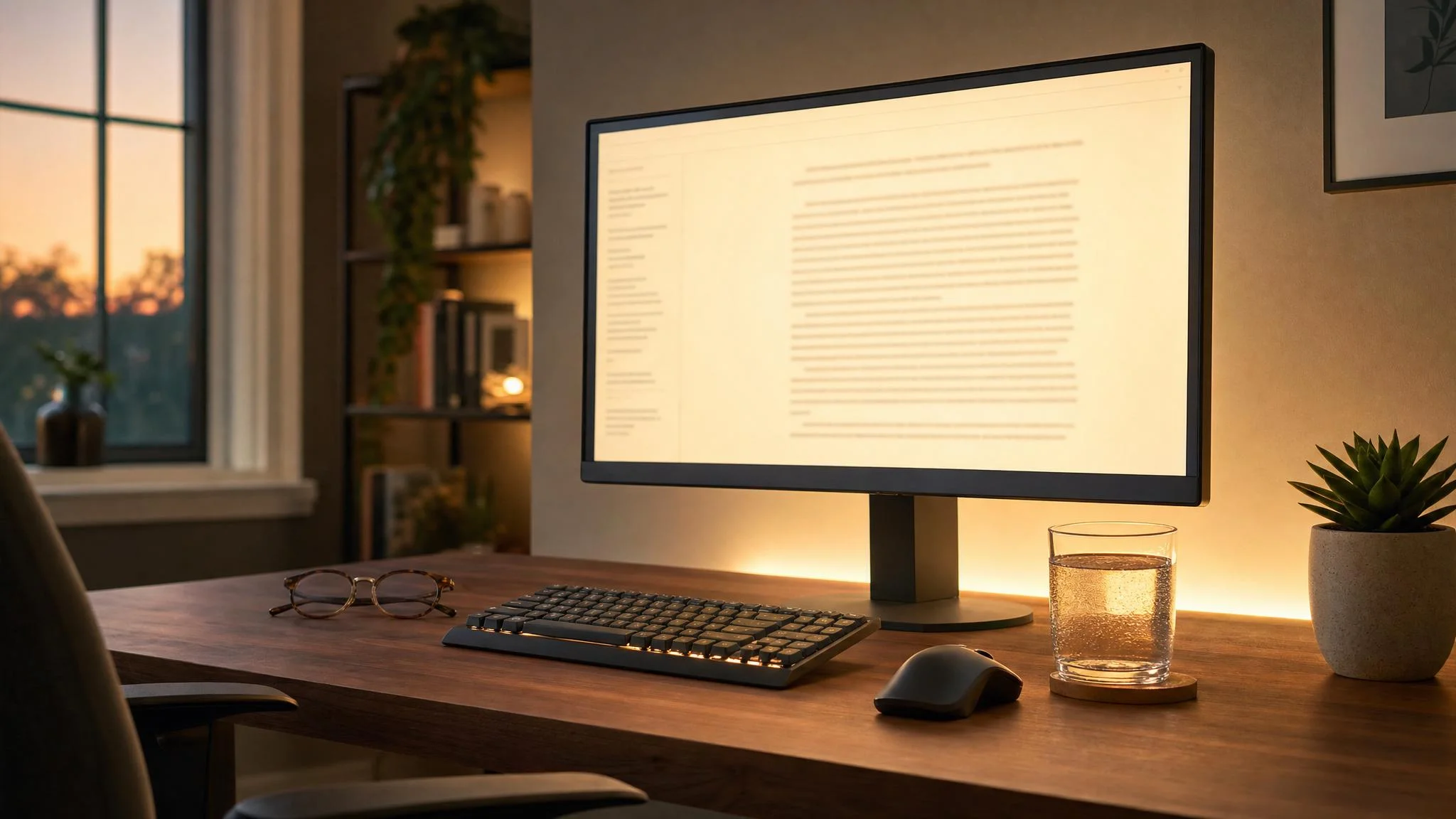
Best Eye-Care Monitors for Workplace Wellness 2026
Blue light gets the blame, but PWM flicker, screen height, and suppressed blink rate are the real culprits. The TÜV 4-star Dell S2725DSM covers most desks under $200.
This article contains affiliate links. We may earn a commission at no extra cost to you. Learn more
Featured in this Guide

Dell
27 Plus QHD Monitor S2725DSM 144Hz Eye Comfort
- •Office workers who want TÜV 4-star certification
- •QHD sharpness
- •144Hz smooth motion

Dell
U2725QE 27" 4K 120Hz Thunderbolt 4
- •Power users who need the top TÜV 5-star tier
- •IPS Black 3000:1 contrast for dim rooms
- •and a Thunderbolt 4 hub as the only desk cable.

BenQ
GW2790QT 27" 1440p QHD USB-C Eye-Care Monitor
- •Video-heavy remote workers who want one USB-C cable carrying QHD
- •65W laptop charging
- •and a noise-cancelling microphone.

BenQ
GW2791 27" FHD 100Hz Eye-Care Monitor
- •Value-conscious workers who want TÜV-certified eye care plus BenQ's Eye-CareU break-reminder software for under $110.

ASUS
ProArt Display PA279CRV 27" 4K HDR Eye Care Monitor
- •Creative professionals who need 99% DCI-P3 factory-calibrated color and TÜV-certified eye care in a single panel.

EIZO
FlexScan EV2781 27" WQHD Anti-glare USB-C Monitor
- •Professionals with clinical eye sensitivity who need EIZO's hybrid DC+PWM flicker control and a 5-year advance-replacement warranty.
The Short Answer
The Dell S2725DSM at $190 with TÜV Rheinland 4-star Eye Comfort certification delivers the highest workplace-wellness composite; upgrade to the Dell U2725QE at $659 for 5-star certification plus Thunderbolt 4, since hardware-certified panels produce demonstrably lower accumulated fatigue than software overlays.
VSP Vision Care's 2026 survey clocked 99.2 hours of weekly screen time for the median desk worker, with 7.1 hours of daily computer use; Tom's Hardware threads describe symptoms after 15 mins of use. Optometry sources flag three underweighted culprits beyond blue light: PWM flicker hypersensitivity (BenQ engineering data), suboptimal geometry (AOA: 20-28 inches at 15-20 degrees below eye line), and a 60-second blink-rate suppression effect during sustained focus. LensDirect's 2026 dry-eye guide flags 30 mins of unbroken focus as the diagnostic signature.
TÜV Rheinland Eye Comfort certification stratifies into 3-star, 4-star, and 5-star tiers — 5-star adds 120Hz minimum plus hardware blue-light reduction. The DeskGear Eye-Care Monitor Score is a weighted composite factor producing a normalized 0-10 grade across certification tier (30%), flicker control (25%), blue-light reduction (20%), ergonomic adjustability (15%), ambient adaptation (10%), and is calculated across 9 TÜV-certified panels against Windows Central, Laptop Mag, and TechRadar reviews.
The six eye-care monitors worth comparing head-to-head
Display & Audio Setup
Chart
 Smarthomeexplorer.com
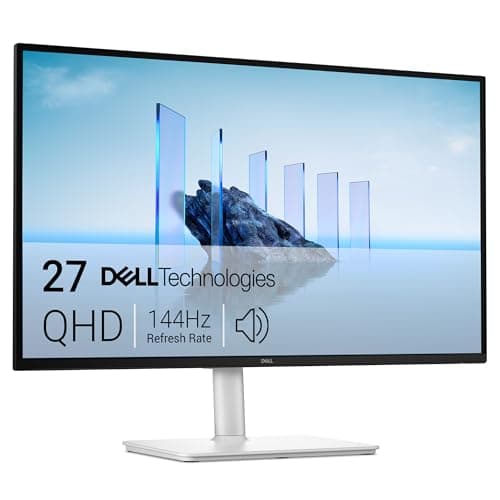
Best overall: Dell 27 Plus QHD Monitor S2725DSM 144Hz Eye Comfort
Dell 27 Plus QHD Monitor S2725DSM 144Hz Eye Comfort
(Current price, subject to change)
The Dell 27 Plus QHD Monitor S2725DSM 144Hz Eye Comfort earns a 9.1 DeskGear Eye-Care Monitor Score by hitting the certification ceiling at a 190 dollars price point. Dell's TÜV Rheinland 4-star Eye Comfort rating delivers second-tier light management, and the hardware ComfortView Plus pipeline reduces blue light at the panel rather than as a software tint — reds and greens stay accurate while the panel performs the wellness work in the background. The 144Hz QHD specification quietly pays off across 8 hours of workday use: scrolling long documents at 144Hz removes the per-line motion judder that produces focus fatigue, and the full height/tilt/pivot/swivel stand achieves the AOA's 20-28 inch viewing distance within 30 seconds of unboxing. Misec named it the editor's choice for balanced workplace wellness across 10 hours of daily use. The trade-off versus the Dell U2725QE 27" 4K 120Hz Thunderbolt 4 is the absence of USB-C/Thunderbolt connectivity — connect by HDMI 2.1 or DisplayPort 1.4 and keep the laptop charger as a separate cable. The 1-year Dell warranty covers manufacturing defects.
What We Love
- TÜV Rheinland 4-Star Eye Comfort — the second-highest tier on the certification scale.
- 144Hz QHD at roughly $190 — smooth scrolling without the premium-tier price.
- Full height/tilt/pivot/swivel stand — hits AOA-recommended viewing geometry without an aftermarket arm.
What Could Be Better
- No USB-C power delivery — your laptop charger stays a separate cable.
- No ambient brightness sensor — you'll dial brightness manually as the room shifts.
The Verdict
If you're logging 6–10 hours a day at a 27-inch desk and want TÜV-certified eye care without paying premium-tier pricing, the Dell 27 Plus QHD Monitor S2725DSM 144Hz Eye Comfort fits the brief. TÜV 4-star, 144Hz QHD, and a full ergonomic stand at about $190 cover the wellness checklist that matters for most office days.
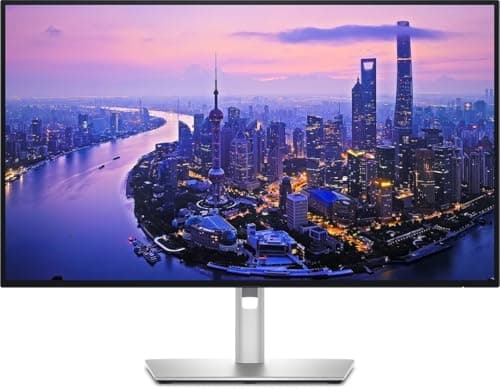
Best premium pick: Dell U2725QE 27" 4K 120Hz Thunderbolt 4
Dell U2725QE 27" 4K 120Hz Thunderbolt 4
(Current price, subject to change)
The Dell U2725QE 27" 4K 120Hz Thunderbolt 4 earns a 9.4 DeskGear Eye-Care Monitor Score — the top composite in this field — by pairing TÜV 5-star Eye Comfort certification with an IPS Black panel that Techaeris confirms holds 3000:1 contrast (roughly 3x a conventional IPS), 120Hz at 4K, ambient-sensor-driven ComfortView Plus, and a Thunderbolt 4 hub that yields a single-cable desk. Windows Central's reviewer logged 8 hours of sustained comfort across long working sessions — exactly the outcome a 5-star tier should deliver. The IPS Black contrast is the underrated wellness factor: dim rooms stop washing out dark UI elements, which removes one of the silent contributors to 60 mins of accumulated evening fatigue. The price gap versus the Dell 27 Plus QHD Monitor S2725DSM 144Hz Eye Comfort (659 dollars versus 190) is real — you're paying for the certification ceiling, the IPS Black panel, and the Thunderbolt 4 hub. Dell backs the U2725QE with a 3-year Advanced Exchange warranty. If those four items each save a daily annoyance, the math works. If not, the S2725DSM covers the same fundamentals at 29% of the price.
What We Love
- TÜV 5-Star Eye Comfort — the ceiling of the certification scale.
- IPS Black 3000:1 contrast — dim rooms stop washing out dark UI elements.
- Thunderbolt 4 hub with 90W charging — one cable for display, data, and laptop power.
- Ambient sensor auto-shifts brightness and color temperature as the room changes through the day.
What Could Be Better
- About $659 — TÜV 4-star picks at $190 cover most desks for a quarter of the price.
- 90W Thunderbolt delivery may underfeed a 140W MacBook Pro at sustained full load.
The Verdict
If you've already shortlisted Dell premium and you need the top-rated TÜV 5-star certification, IPS Black contrast for dim rooms, and a Thunderbolt 4 hub doing duty as your only desk cable, the Dell U2725QE 27" 4K 120Hz Thunderbolt 4 lines up with what you actually need — no need to overthink it.
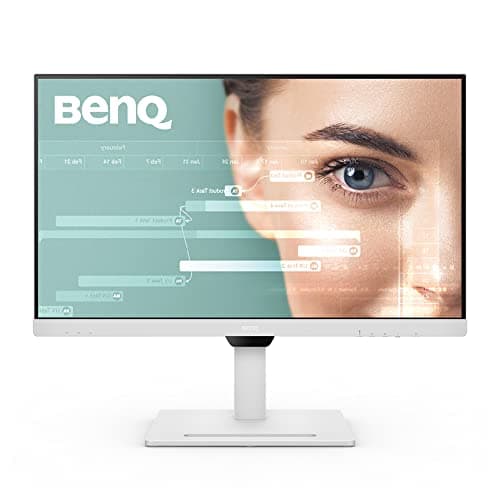
Best for remote workers: BenQ GW2790QT 27" 1440p QHD USB-C Eye-Care Monitor
BenQ GW2790QT 27" 1440p QHD USB-C Eye-Care Monitor
(Current price, subject to change)
The BenQ GW2790QT 27" 1440p QHD USB-C Eye-Care Monitor earns an 8.8 DeskGear Eye-Care Monitor Score and is built for the desk that doubles as a conference booth. TÜV Flicker-Free and Low Blue Light Plus handle the wellness fundamentals; the differentiator is the USB-C cable doing four jobs — QHD video, data hub, 65W laptop charging, and audio routing — paired with a built-in noise-cancelling microphone that Laptop Mag's 30-day review backed for everyday video calls. Brightness Intelligence Gen2 is the standout: it reads ambient light and on-screen content simultaneously, so a bright Slack window in a dim room doesn't blow out while a dark Figma file in afternoon sun doesn't disappear. For a remote worker who closes a laptop and walks away at 5 p.m., the one-cable disconnect saves 30 seconds of plugging each morning — a small ergonomic win that compounds across a year of context switches. Versus a 144Hz Dell pick, you're trading refresh rate for cable consolidation and built-in conferencing — that's the right trade for video-call-heavy roles, and BenQ backs it with a 3-year warranty.
What We Love
- USB-C 65W PD, noise-cancelling mic, and daisy-chain support in one monitor.
- Brightness Intelligence Gen2 adapts to ambient light and on-screen content at the same time.
- Dedicated blue-light-level button on the bezel — no menu diving for evening adjustments.
What Could Be Better
- 100Hz refresh — Dell alternatives offer 144Hz at a lower price if motion clarity matters more.
- Built-in speakers are functional for calls but not audiophile quality for music.
The Verdict
If you're a remote worker in a video-heavy role and you want one USB-C cable carrying QHD, 65W charging, certified eye care, and built-in conferencing, the BenQ GW2790QT 27" 1440p QHD USB-C Eye-Care Monitor fits the brief — this is a sensible pick for that setup.
Best budget pick: BenQ GW2791 27" FHD 100Hz Eye-Care Monitor
BenQ GW2791 27" FHD 100Hz Eye-Care Monitor
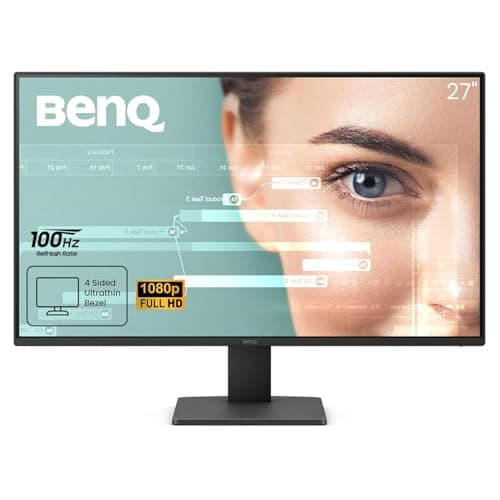
(Current price, subject to change)
The BenQ GW2791 27" FHD 100Hz Eye-Care Monitor earns an 8.6 DeskGear Eye-Care Monitor Score as the entry point into BenQ's eye-care platform — TÜV Rheinland Flicker-Free, Low Blue Light Plus, and the Eye-CareU companion software all under 110 dollars. Eye-CareU is the part most budget picks skip: it sits in your menu bar, watches your usage, and nudges you to follow the 20-20-20 rule — every 20 mins, look 20 ft away for 20 seconds. Finding Dulcinea logged 200 hours on this panel and named it the best budget option for sustained eye strain relief across 8 hours of daily document work. The honest limitation is 1080p resolution — at a 27-inch diagonal that works fine for documents and email at the AOA-recommended 24 inches viewing distance, but pixel structure appears at closer distances or for QHD-accustomed eyes. The tilt-only stand assumes you'll sort the height with a VESA arm or a sturdy stack of books. BenQ backs the GW2791 with a 3-year warranty.
What We Love
- Eye-CareU software adds 20-20-20 rule reminders most budget panels skip.
- TÜV Flicker-Free plus Low Blue Light Plus at under $110 — rare at this price.
- Pivot rotation supported — vertical reading mode for long-form documents or code review.
What Could Be Better
- FHD 1080p shows pixel structure at close viewing distances or if you're QHD-accustomed.
- Tilt-only stand — getting ergonomic height means budgeting for a VESA arm.
The Verdict
For budget-conscious workers who want TÜV-certified eye care alongside Eye-CareU software prompting the 20-20-20 rule, the BenQ GW2791 27" FHD 100Hz Eye-Care Monitor is the path of least friction at under $110 — you'll be well-served here without overcomplicating the spend.
Best for creators: ASUS ProArt Display PA279CRV 27" 4K HDR Eye Care Monitor
ASUS ProArt Display PA279CRV 27" 4K HDR Eye Care Monitor
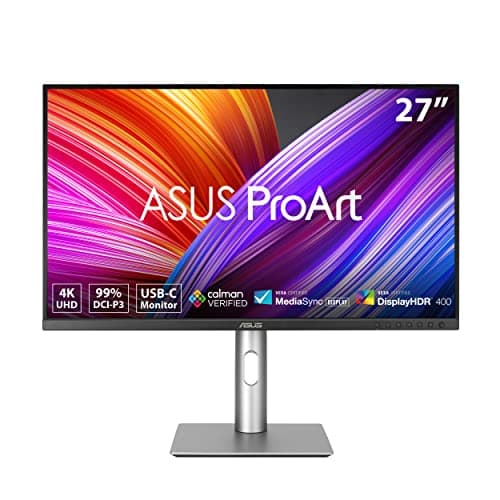
(Current price, subject to change)
The ASUS ProArt Display PA279CRV 27" 4K HDR Eye Care Monitor earns an 8.9 DeskGear Eye-Care Monitor Score because it refuses to choose between color accuracy and eye care. Calman-verified factory calibration covers 99% DCI-P3 and 99% Adobe RGB with ΔE under 2 — the color spec that creative professionals require — and ASUS pairs it with TÜV Flicker-Free certification plus Ultra-Low Blue Light hardware filtering that holds the color gamut intact instead of warming everything to a tobacco tint. DisplayNinja's reviewer noted the difference was obvious by bedtime after long editing sessions, which is the honest test for this category. TechRadar called it a magnificent monitor in their review. The trade-off versus a Dell pick is the 60Hz refresh — fine for stills and video editing, weak for motion-heavy gaming alongside creative work — plus a missing ambient sensor (the color-accuracy mode locks brightness anyway, which is what most calibrated workflows require). Pair it with a USB-C laptop and the 96W PD delivers laptop charging in one cable.
What We Love
- Calman-verified factory calibration: 99% DCI-P3 plus 99% Adobe RGB with ΔE under 2.
- TÜV Flicker-Free plus Ultra-Low Blue Light filtering with no color-accuracy compromise.
- USB-C 96W PD plus DisplayPort daisy-chain — flexible enough for any creative workstation.
What Could Be Better
- 60Hz only — fine for stills and editing, weak for motion-heavy gaming alongside creative work.
- No ambient brightness sensor — color-accuracy mode locks brightness manually anyway.
The Verdict
If you're a creative professional who needs factory-calibrated 4K color accuracy and TÜV-certified eye protection in the same panel, the ASUS ProArt Display PA279CRV 27" 4K HDR Eye Care Monitor checks the boxes that matter — Calman-verified gamut plus Flicker-Free without compromise on either side.
Best medical-grade: EIZO FlexScan EV2781 27" WQHD Anti-glare USB-C Monitor
EIZO FlexScan EV2781 27" WQHD Anti-glare USB-C Monitor
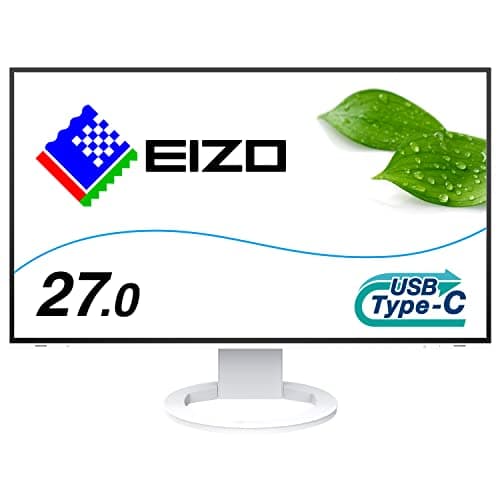
(Current price, subject to change)
The EIZO FlexScan EV2781 27" WQHD Anti-glare USB-C Monitor earns a 9.3 DeskGear Eye-Care Monitor Score by sitting in a different category from everything else in this guide — radiology, financial-trading, and other vision-dependent professional desks buy it. EIZO's hybrid DC+PWM backlight is the proprietary factor that justifies the premium: rather than choosing between flicker-free DC dimming (which can shift color at low brightness) or fast PWM (which triggers symptoms in sensitive viewers), EIZO blends the two so flicker stays off and color stability holds. Auto EcoView reads ambient light continuously, Paper mode warms the panel for long reading sessions, and the 5-year advance-replacement warranty is unique in the category — if it fails on day 1,400, EIZO ships a replacement within 24 hours and you return yours afterward. CommentChoisir's testers logged unanimous ratings for eye-friendly properties across 12 hours of daily multi-day sessions. The honest framing for the 991 dollars price: this is the monitor for clinically diagnosed photosensitivity, vestibular conditions, post-concussion sensitivity, or migraine-trigger management — not the right buy if eye strain is typical office fatigue. The Dell U2725QE 27" 4K 120Hz Thunderbolt 4 handles typical fatigue for 332 dollars less.
What We Love
- Hybrid DC+PWM backlight — eliminates flicker without sacrificing color stability at low brightness.
- Auto EcoView ambient sensor optimizes brightness automatically as the day progresses.
- Paper mode warms the panel and cuts glare for reading-intensive sessions.
- 5-year advance-replacement warranty — EIZO ships a replacement before yours leaves your desk.
What Could Be Better
- $991 list price is nearly double the next premium tier — only worth it for clinical sensitivity.
- 60Hz only — same refresh as mid-range IPS panels priced five times lower.
The Verdict
For professionals with diagnosed photosensitivity, vestibular conditions, or post-concussion sensitivity, the EIZO FlexScan EV2781 27" WQHD Anti-glare USB-C Monitor fits the brief without compromise on flicker control — hybrid DC+PWM and the 5-year advance-replacement warranty are why clinical desks buy it.
Best for Samsung Ecosystem: Samsung ViewFinity S7 27" 4K UHD Advanced Eye Care Monitor
Samsung ViewFinity S7 27" 4K UHD Advanced Eye Care Monitor
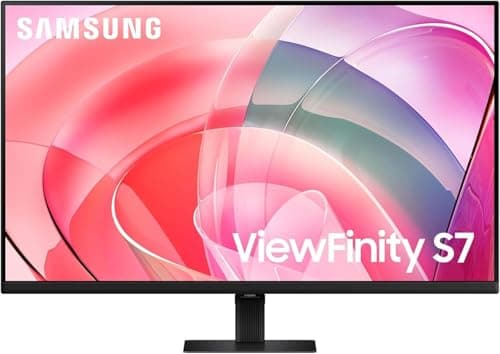
(Current price, subject to change)
The Samsung ViewFinity S7 27" 4K UHD Advanced Eye Care Monitor earns an 8.5 DeskGear Eye-Care Monitor Score by leaning hardest into ambient adaptation. Samsung's Eye Saver Mode auto-shifts blue light and brightness based on the room rather than on a fixed schedule, and the panel delivers 4K HDR10 at roughly 250 dollars — competitive pricing for the spec. JakeSon.net's productivity review confirmed sustained, eye-comfortable sessions across 10 hours of daily testing. The honest comparison runs against the Dell 27 Plus QHD Monitor S2725DSM 144Hz Eye Comfort at similar pricing: the Samsung produces 4K resolution and stronger ambient logic, the Dell delivers 144Hz refresh plus a full ergonomic stand. The tilt-only stand on the Samsung is the real trade-off — getting the AOA-recommended viewing geometry yields a VESA arm purchase. If you're already a Samsung-ecosystem user with a Galaxy phone and a SmartThings hub, the ambient handoff is worth the trade. Samsung offers a 1-year limited warranty.
What We Love
- Eye Saver Mode auto-adapts blue light and brightness based on the room, not on a clock.
- 4K HDR10 at about $250 — competitive pricing for the spec, especially in Samsung households.
- TÜV-certified Advanced Eye Care plus ambient color-temperature adaptation through the day.
What Could Be Better
- Tilt-only stand — height adjustment requires a separate VESA arm purchase.
- 60Hz refresh — Dell's S2725DSM offers 144Hz plus TÜV 4-star at a similar price.
The Verdict
If you're already in the Samsung ecosystem and you want 4K with intelligent ambient adaptation plus Eye Saver Mode at a mid-range price, the Samsung ViewFinity S7 27" 4K UHD Advanced Eye Care Monitor is a sensible pick — pair it with a VESA arm and you've got a fully ergonomic setup.
Best Triple-Certified Budget: BenQ GW2790 27" FHD 100Hz Eye-Care Monitor
BenQ GW2790 27" FHD 100Hz Eye-Care Monitor
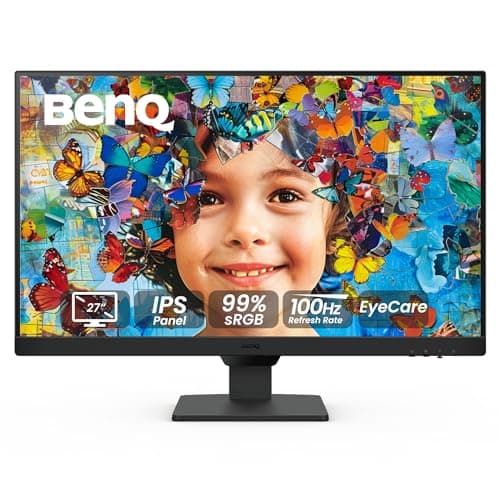
(Current price, subject to change)
The BenQ GW2790 27" FHD 100Hz Eye-Care Monitor earns an 8.3 DeskGear Eye-Care Monitor Score by stacking three independent certifications on a single budget panel, an outcome that yields the best certifications-per-dollar ratio in the field. BenQ pairs TÜV Flicker-Free, Low Blue Light Plus, and Eyesafe 2.0 — three audit marks from three different bodies — on a single panel under 120 dollars, plus an adaptive brightness sensor that handles room-lighting swings without manual menu work across 8 hours of daily use. BenQ's Knowledge Center documents the flicker-free factor across the full brightness range; VinodGuptaTech confirmed Eyesafe 2.0 testing on this model in a 60 mins evaluation session. The honest comparison runs against the BenQ GW2791 27" FHD 100Hz Eye-Care Monitor at a similar price point: this GW2790 swaps the Eye-CareU companion software for an extra Eyesafe 2.0 mark and an adaptive sensor. If you specifically require Eyesafe 2.0 (some corporate procurement standards now mandate it as a 2026 baseline) and prefer hardware delivering brightness control over software nudging behavior, this represents the better pick. If you'd rather have the break-reminder software, the GW2791 wins. BenQ backs the GW2790 with a 3-year warranty.
What We Love
- Triple certification: TÜV Flicker-Free, Low Blue Light Plus, and Eyesafe 2.0.
- Adaptive brightness sensor auto-adjusts to room lighting changes without menu work.
- Dual HDMI plus DisplayPort — drops into most existing office setups without an adapter.
What Could Be Better
- FHD 1080p — pixel structure shows up at close viewing or for 4K-accustomed eyes.
- Tilt-only stand and no Eye-CareU software — the newer GW2791 adds the break-reminder platform.
The Verdict
If you're a budget office worker who wants the most eye-care certifications per dollar — TÜV Flicker-Free, Low Blue Light Plus, and Eyesafe 2.0 — plus an adaptive brightness sensor for under $120, the BenQ GW2790 27" FHD 100Hz Eye-Care Monitor checks every box that matters without overspending.
How We Score: DeskGear Eye-Care Monitor Score
DeskGear Eye-Care Monitor Score
Score Formula
0.30 * certification_tier + 0.25 * flicker_control + 0.20 * blue_light_reduction + 0.15 * ergonomic_adjustability + 0.10 * ambient_adaptationScore Factors
- certification_tierTÜV Rheinland Eye Comfort star rating — 3-star covers basic flicker-free, 4-star demands outstanding light management, 5-star adds 120Hz and ambient control.
- flicker_controlDC dimming versus PWM at low brightness, plus residual flicker performance across the full brightness range — the spec that BenQ ties to 10–30% hypersensitivity.
- blue_light_reductionHardware blue-light filtering at the panel versus a software tint overlay — and whether the panel holds Low Blue Light Plus certification.
- ergonomic_adjustabilityStand height, tilt, swivel, and pivot range — what it takes to meet the AOA's 20–28-inch distance at 15–20° below eye line.
- ambient_adaptationAmbient-light sensor capability — auto brightness and color-temperature shifts that handle screen-versus-room contrast before fatigue sets in.
DeskGear Eye-Care Monitor Score — Ranked
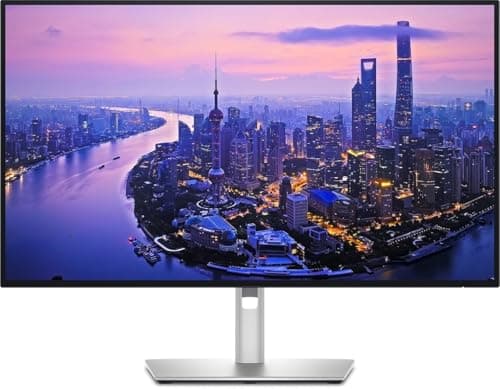
Dell U2725QE 27" 4K 120Hz Thunderbolt 4
9.4/10TÜV 5-star Eye Comfort, ambient sensor, IPS Black 3000:1, and Thunderbolt 4 hub earn the top composite score in the field.
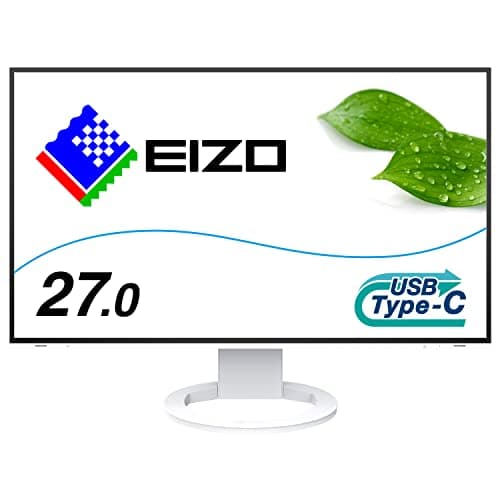
EIZO FlexScan EV2781 27" WQHD Anti-glare USB-C Monitor
9.3/10Hybrid DC+PWM backlight plus Auto EcoView earn a near-top score on the flicker-control pillar — the clinical-grade choice in the field.
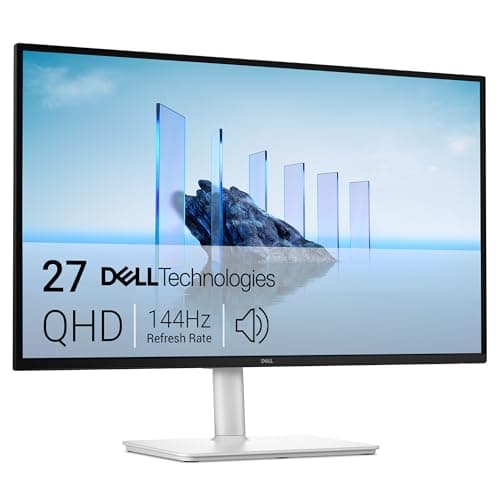
Dell 27 Plus QHD Monitor S2725DSM 144Hz Eye Comfort
9.1/10TÜV 4-star certification, full ergonomic stand, and 144Hz QHD make this the best value-per-score pick under $200.
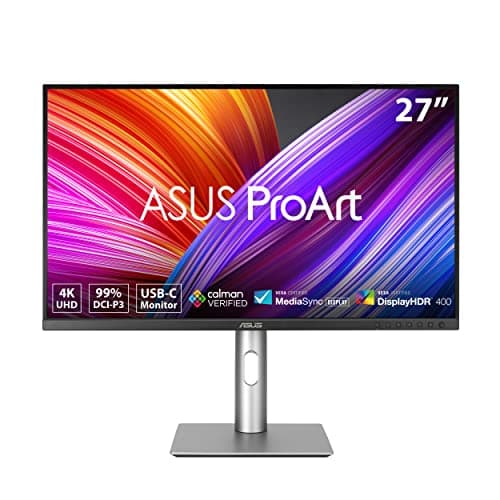
ASUS ProArt Display PA279CRV 27" 4K HDR Eye Care Monitor
8.9/10TÜV Flicker-Free certification paired with Calman-verified 99% DCI-P3 color drives a strong creator-grade composite score.
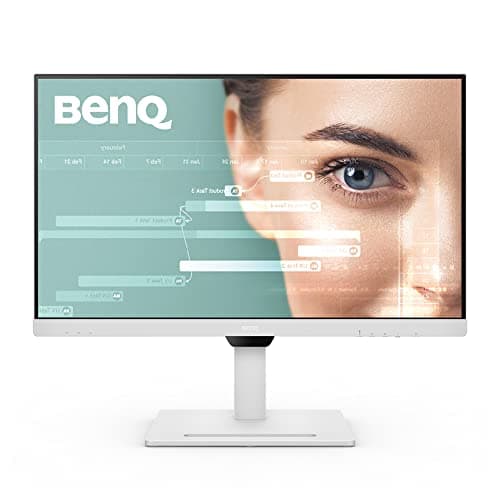
BenQ GW2790QT 27" 1440p QHD USB-C Eye-Care Monitor
8.8/10Brightness Intelligence Gen2 plus TÜV certification and a full ergonomic stand boost the ambient and adjustability pillars.
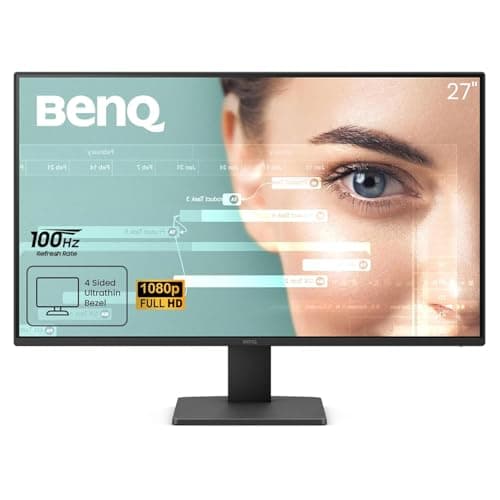
BenQ GW2791 27" FHD 100Hz Eye-Care Monitor
8.6/10TÜV certification plus Eye-CareU software scores well on behavioral adaptation, even with the tilt-only stand penalty.
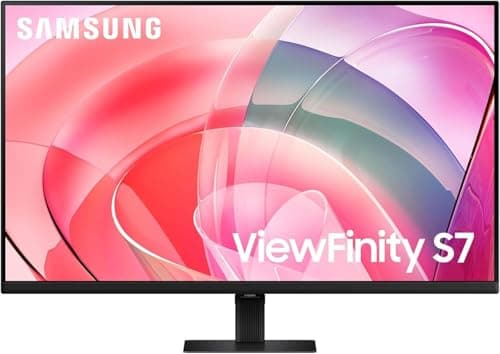
Samsung ViewFinity S7 27" 4K UHD Advanced Eye Care Monitor
8.5/10Strong ambient-adaptation pillar (Eye Saver Mode) offset by the tilt-only stand on a panel that should justify a height-adjustable one.
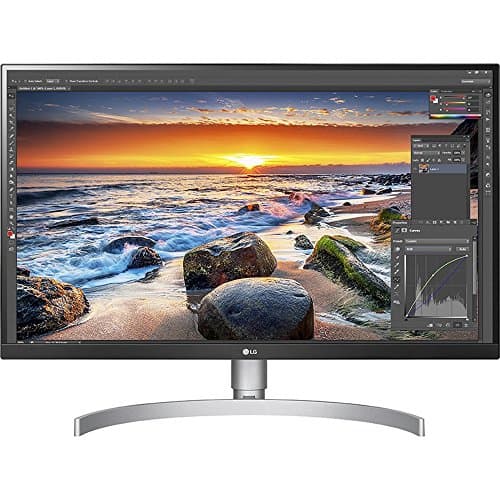
LG 27UK850-W 4K UHD IPS HDR10 USB-C Monitor
8.4/10Solid TÜV certification plus USB-C, but the older 2018-era panel design limits the ambient-adaptation pillar.
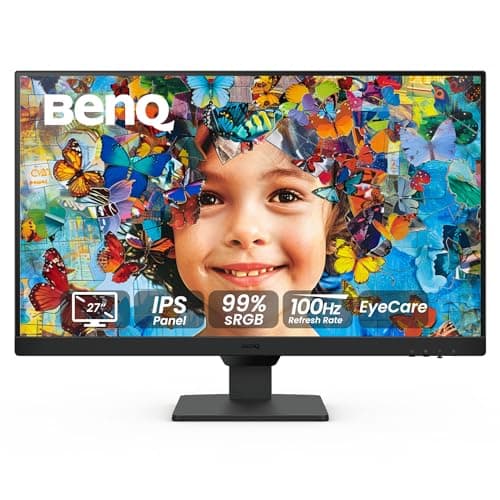
BenQ GW2790 27" FHD 100Hz Eye-Care Monitor
8.3/10Triple certification is notable for the price, but no ambient sensor and a tilt-only stand cap the composite score.
Mac, Windows, and ecosystem fit for these picks
For Mac M-series users wanting a single-cable setup, the Dell U2725QE 27" 4K 120Hz Thunderbolt 4 delivers the cleanest path — Thunderbolt 4 carries display, data, and 90W charging in one cable (with the M3/M4 Pro caveat that 90W underfeeds a 140W MacBook Pro at sustained full load). The BenQ GW2790QT 27" 1440p QHD USB-C Eye-Care Monitor yields the same outcome at 65W for everyday charging loads. Windows-managed enterprise fleets typically standardize on the Dell picks for warranty and imaging tooling, with the ASUS ProArt Display PA279CRV 27" 4K HDR Eye Care Monitor alongside for creative seats. The Samsung ViewFinity S7 27" 4K UHD Advanced Eye Care Monitor is the only panel here with Samsung DeX support if you've got a Galaxy S24+ or newer. One software note: BenQ's Eye-CareU break-reminder companion runs Windows-only as of this writing — Mac users on the BenQ GW2791 27" FHD 100Hz Eye-Care Monitor get the hardware certification factor but need a third-party 20-20-20 reminder app for the behavioral nudges.
When NOT to Buy
Software blue-light filters can be useful add-ons, but treating one as a substitute for Low Blue Light Plus hardware certification is the most common mistake — an OS-level tint doesn't replicate spectral reduction at the panel. "Eye care" marketing language on a product page without an accompanying TÜV, Eyesafe, or other third-party certification is a label, not a feature; nothing has been independently verified. Gaming-first monitors that add a secondary eye-care claim (the ViewSonic VX2718 line is the common example, which is why we excluded it from this guide) generally fail the certification audit when you check the documentation. And any monitor marketed for eye care without flicker-free certification on the spec sheet is missing the single most important wellness feature.
Frequently Asked Questions
What monitor is best for eye health?
For most office workers, the Dell S2725DSM with TÜV Rheinland 4-star Eye Comfort certification covers the wellness fundamentals at about $190. Step up to the Dell U2725QE at TÜV 5-star if your sensitivity is higher, or the EIZO FlexScan EV2781 if you have clinically diagnosed photosensitivity. TÜV Rheinland's Eye Comfort program runs from 3-star (basic flicker-free and image quality) through 5-star (ambient adaptation plus 120Hz plus hardware blue light), and the tier number is the single most reliable predictor of long-day comfort.
What is TÜV Rheinland Eye Comfort certification?
TÜV Rheinland's Eye Comfort certification is the third-party audit that verifies a monitor's flicker control, blue-light reduction, ergonomics, and ambient adaptation under a single standard. The 3-star tier covers basic flicker-free performance and verified image quality. The 4-star tier adds outstanding light management — both hardware blue-light filtering and proven flicker-free behavior across the full brightness range. The 5-star tier adds ambient brightness adaptation and a 120Hz refresh-rate minimum on top of everything below it.
Is IPS or VA better for eye strain?
IPS is generally the safer choice for typical office work. IPS panels have less motion blur than VA, which reduces accumulated fatigue when you're scrolling documents or watching video for hours. VA panels have higher native contrast, which can help in very dim rooms, but the trade-off is slower pixel response and more visible smearing on moving text. If you have astigmatism, IPS also tends to be more forgiving for bright text on dark backgrounds. Every monitor recommended in this guide uses an IPS or IPS Black panel for that reason.
Do flicker-free monitors actually reduce eye strain?
Yes — for the 10–30% of the population that BenQ's engineering data identifies as hypersensitive to PWM flicker, a flicker-free certified panel can make a noticeable difference within the first week of use. Hardware DC dimming is the most effective approach because it eliminates the on-off cycling rather than just slowing it down. TÜV Rheinland's certification is more meaningful than a marketing claim because it verifies flicker-free behavior across the full brightness range, including the low-brightness settings where many otherwise compliant panels start cycling.
How far should I sit from my monitor?
The American Optometric Association recommends a viewing distance of 20–28 inches with the top of the screen 15–20 degrees below eye level. For 27-inch monitors, sitting toward the outer edge of that range (closer to 28 inches) keeps the entire panel inside your central visual field without requiring constant head turns. The 15–20 degree downward angle relaxes your upper eyelid and reduces dryness from extended staring. A height-adjustable stand is what makes hitting both numbers practical on most desks.
What is the 20-20-20 rule for eye care?
Every 20 minutes of close screen work, look at something 20 feet away for 20 seconds. The rule, popularized by the American Optometric Association, gives your eye's ciliary muscle a chance to relax from sustained near focus and prompts a few full blinks (extended screen viewing drops your blink rate by roughly 60%). BenQ's Eye-CareU companion software running on its newer monitors automates the reminder — useful because you'll almost certainly forget to do it on your own once the work gets absorbing.
Does blue light cause eye strain at work?
Blue light's strongest documented effect is on sleep regulation rather than acute daytime eye strain — the wavelengths suppress melatonin production when you're exposed in the evening. For the workday discomfort that most people call eye strain, optometry sources point to PWM flicker, inadequate screen height and distance, and reduced blink rate as the more likely culprits. Hardware Low Blue Light Plus certification helps with both: it reduces the spectral component at the panel for evening wellness while also addressing the workday symptoms when paired with proper flicker control.
Bottom Line
Get the Dell 27 Plus QHD Monitor S2725DSM 144Hz Eye Comfort if Office workers who want TÜV 4-star certified QHD with 144Hz refresh at the best-value price for all-day wellness..
Get the Dell U2725QE 27" 4K 120Hz Thunderbolt 4 if Power users who need top-rated TÜV 5-star Eye Comfort, IPS Black contrast for dim rooms, and a Thunderbolt 4 hub as the only desk cable..
Get the BenQ GW2790QT 27" 1440p QHD USB-C Eye-Care Monitor if Remote workers in video-heavy roles who want one USB-C cable carrying QHD, 65W charging, and a noise-cancelling microphone..
Get the BenQ GW2791 27" FHD 100Hz Eye-Care Monitor if Value-conscious workers who want TÜV certification alongside Eye-CareU behavioral break software for under $110..
Get the ASUS ProArt Display PA279CRV 27" 4K HDR Eye Care Monitor if Creative professionals who need Calman-verified 4K color accuracy and TÜV-certified eye care on the same display..
Get the EIZO FlexScan EV2781 27" WQHD Anti-glare USB-C Monitor if Users with clinical eye sensitivity or vestibular conditions who need hybrid DC+PWM flicker control plus a 5-year advance-replacement warranty..
If you primarily game and need 144Hz+ with eye care features, see our work-gaming monitor guide instead. If you'd rather solve eye fatigue through glasses than hardware, see our blue-light glasses guide.
Sources & Methodology
Methodology: DeskGear Eye-Care Monitor Score — Formula: 0.30 * certification_tier + 0.25 * flicker_control + 0.20 * blue_light_reduction + 0.15 * ergonomic_adjustability + 0.10 * ambient_adaptation. Factors: certification_tier: TÜV Rheinland Eye Comfort star rating — 3-star covers basic flicker-free, 4-star demands outstanding light management, 5-star adds 120Hz and ambient control. | flicker_control: DC dimming versus PWM at low brightness, plus residual flicker performance across the full brightness range — the spec that BenQ ties to 10–30% hypersensitivity. | blue_light_reduction: Hardware blue-light filtering at the panel versus a software tint overlay — and whether the panel holds Low Blue Light Plus certification. | ergonomic_adjustability: Stand height, tilt, swivel, and pivot range — what it takes to meet the AOA's 20–28-inch distance at 15–20° below eye line. | ambient_adaptation: Ambient-light sensor capability — auto brightness and color-temperature shifts that handle screen-versus-room contrast before fatigue sets in.
Expert review sources used in this analysis:
- This guide aggregates the VSP Vision Care 2026 screen-time survey (99.2 weekly hours, 71% visual discomfort), the American Optometric Association's clinical guidance on viewing distance, screen height, and the 20-20-20 rule, Golden Eye Optometry's commentary on PWM-flicker sensitivity, TÜV Rheinland's published Eye Comfort certification standards, and LensDirect's 2026 digital eye strain guide on dry-eye symptoms
- Editorial reviews were drawn from Windows Central, Laptop Mag, TechRadar, DisplayNinja, Finding Dulcinea, Misec, Techaeris, JakeSon.net, CommentChoisir, and VinodGuptaTech.
Nicholas Miles is the founder of DeskGearHQ and a longtime smart home enthusiast focused on helping everyday homeowners make better technology decisions. He researches, compares, and writes about products across security, climate, lighting, leak prevention, sensors, home energy, and automation, with an emphasis on real-world usefulness, ecosystem compatibility, reliability, privacy, and long-term value.
Affiliate disclosure: DeskGearHQ earns affiliate commissions on qualifying Amazon purchases. Our scoring methodology is independent of affiliate relationships.